3-Speed Bluetooth Record Player: AUX, USB & RCA Guide
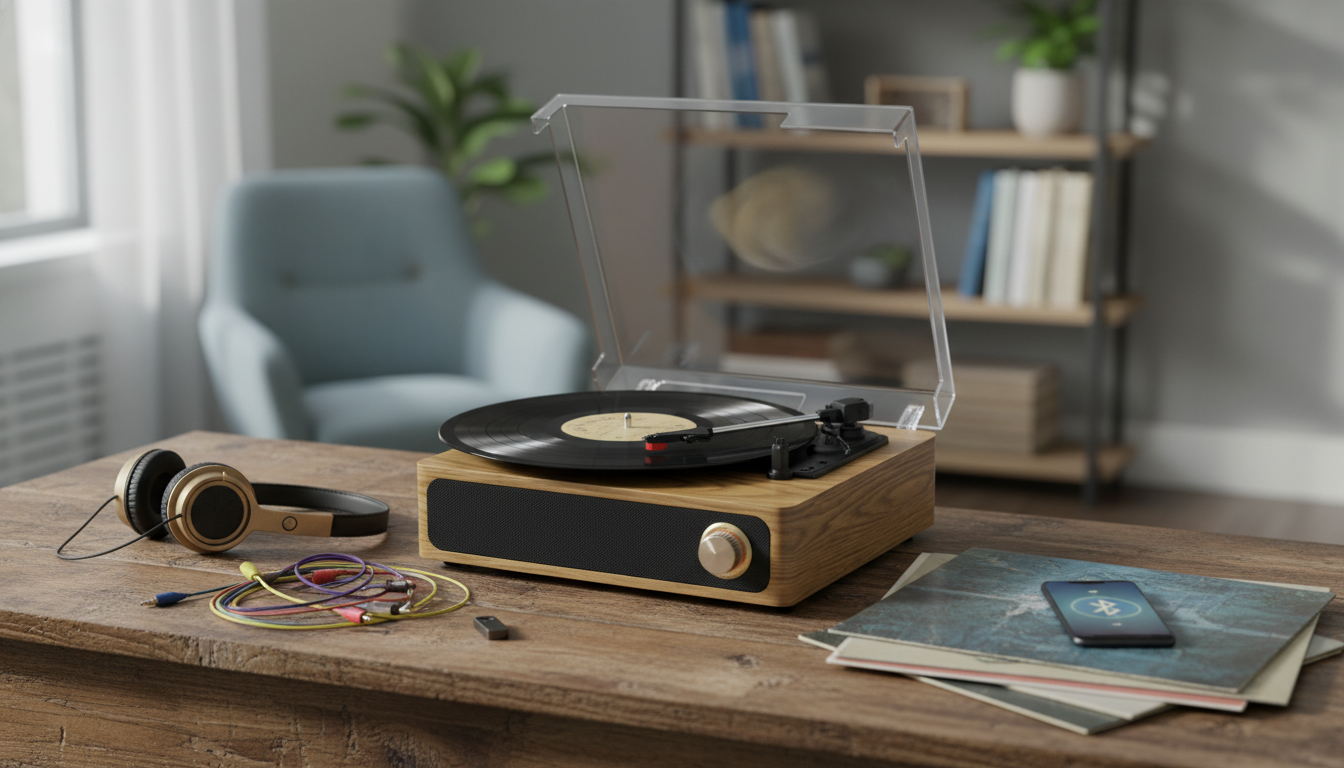
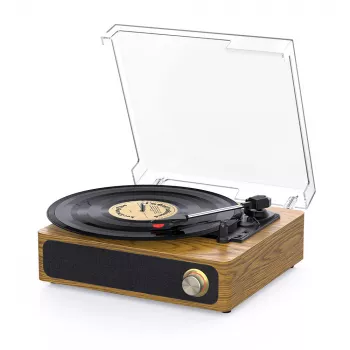
3-Speed Bluetooth Record Player with Built-in Speakers, AUX, USB, and RCA Output
A 3-speed turntable with Bluetooth, built-in speakers, and multiple wired outputs makes it easy to enjoy vinyl now and expand later. This guide breaks down what each feature does, how to set it up for different listening spaces, and what to check for the best everyday playback from a compact all-in-one record player.
What a 3-speed turntable setup enables
A 3-speed record player is designed to handle the formats most people actually run into when building a starter (or “second room”) vinyl setup:
- 33 1/3 RPM: the standard speed for most LP albums.
- 45 RPM: common for many singles and some EPs.
- 78 RPM: used for select vintage records; many 78s also require a compatible stylus, so confirm before playing one.
Built-in speakers keep the footprint small and the setup simple—plug it in, cue a record, and you’re listening. Bluetooth adds a cable-free way to play music from a phone or tablet through the turntable’s speakers (many models support Bluetooth input), while AUX, USB, and RCA connections give you multiple ways to fit the player into different rooms and systems.
If you’re shopping for an all-in-one option that can still grow with your setup, see the 3-Speed Bluetooth Record Player with Built-in Speakers, AUX, USB, and RCA Output.
Connections explained: Bluetooth, AUX, USB, and RCA
Modern compact turntables often combine “listen now” features (built-in speakers, Bluetooth) with “upgrade later” outputs (RCA, USB). Here’s what each option typically does.
Bluetooth
Bluetooth is commonly used for streaming audio from a phone to the turntable so the turntable acts like a small speaker system. Pairing usually means putting the turntable in Bluetooth mode, then selecting it in your phone’s Bluetooth menu. For a plain-language overview of how Bluetooth works and what affects range, the FCC’s consumer guide is a helpful reference: FCC Consumer Guide: Bluetooth.
AUX-in
AUX-in (often 3.5mm) is the reliable “just plug it in” option for playing external audio through the built-in speakers—useful for a phone, tablet, TV, or older music player. If the port is 3.5mm, a standard AUX cable works; if it’s RCA-style, an adapter cable may be needed.
USB
USB is typically there for digitizing records to a computer. The exact steps depend on your operating system and recording software, but most workflows involve selecting the turntable as an input device, recording in real time, and exporting files afterward. Audacity’s documentation offers a clear walkthrough for many USB turntables: Audacity Manual: Recording with USB turntables.
RCA output
RCA output is the classic left/right analog connection used to feed powered speakers, a stereo receiver, or an external amplifier. One important detail: some turntables output line-level audio, while others output phono-level audio and require a phono preamp (or a receiver with a dedicated phono input). If you connect phono-level output to a normal AUX/line input, the sound will usually be very quiet and thin; if you connect a line-level output into a phono input, it can sound overly loud and distorted.
| Connection | What it’s for | Typical cable | Best for |
|---|---|---|---|
| Bluetooth | Wireless music to the turntable’s speakers (often phone → turntable) | None | Casual listening and quick setup |
| AUX | Wired external audio source into the turntable | 3.5mm AUX (or adapter) | TV/phone/MP3 player without Bluetooth |
| USB | Send audio to a computer for recording | USB cable | Digitizing vinyl and archiving |
| RCA Output | Send turntable audio to external audio gear | RCA stereo cable | Upgrading to bigger speakers or a full stereo system |
Setup steps that prevent common problems
Everyday listening: built-in speakers vs. external speakers
Using USB to digitize records (simple workflow)
Care tips that protect records and stylus
Small habits add up to quieter playback and longer life for both your collection and your stylus. For deeper preservation pointers, the Library of Congress has practical guidance: Library of Congress: Caring for Sound Recordings.
Who this style of record player fits best
In-stock picks
- 3-Speed Bluetooth Record Player with Built-in Speakers, AUX, USB, and RCA Output
- Kids Instant Camera 20MP, HD 1080P Print Camera with 32GB Card & Fun Features
- Intelligent RC Robot Cat with Voice Command, Dance & Music – Interactive Toy for Kids
FAQ
Can Bluetooth headphones be used with this type of record player?
Many units support Bluetooth input (phone to turntable) rather than Bluetooth output (turntable to headphones). Check the specs for “Bluetooth transmitter” support, or use an external Bluetooth transmitter connected via AUX/RCA if you need headphone pairing.
Do external speakers need a phono preamp when using RCA output?
It depends on whether the RCA output is line-level or phono-level. Line-level connects to any AUX/line input; phono-level needs a phono preamp or a receiver with a phono input—mismatches commonly cause very low volume or distortion.
What should be done if records sound too fast or too slow?
Confirm the speed setting (33/45/78) matches the record, then re-seat the record and try again. If it’s belt-driven, inspect for dust or slippage around the platter/belt area; some models also have small speed adjustments, while others do not.







Leave a comment