Bluetooth Turntables: Phone Streaming vs BT Output

Can you play music from your phone to a Bluetooth turntable’s built-in speakers (Bluetooth input), or is it only for output?
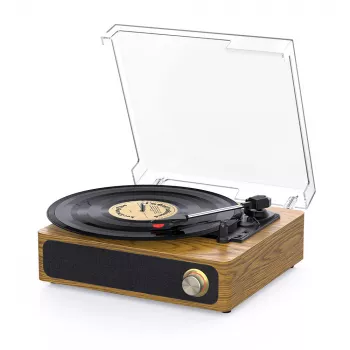
It depends on the model. Many Bluetooth turntables support Bluetooth output only, which means they can send the turntable’s audio (your vinyl) to Bluetooth speakers or headphones. If you want to stream music from your phone into the turntable’s built-in speakers, the turntable must specifically support Bluetooth input (often labeled “Bluetooth In,” “BT In,” or “receiver mode”).
If your turntable has Bluetooth input, pairing usually works like pairing any Bluetooth speaker: you put the turntable into pairing mode (in “BT In/Receiver” mode), select it on your phone, and then play audio from any app. Your phone becomes the source, and the turntable functions like a Bluetooth speaker system.
If the turntable has Bluetooth output only, your phone won’t be able to send audio to it over Bluetooth—even if the turntable itself has built-in speakers. In that case, use an alternative input (if available) such as AUX/3.5mm, RCA line-in, or USB playback (on some units) to get phone audio through the turntable’s speakers.
How to tell which Bluetooth mode your turntable has
Look for wording on the cabinet, switches, or manual. “Bluetooth Transmitter,” “BT Out,” or a headphone/speaker icon usually points to output-only. “Bluetooth Receiver,” “BT In,” “Input,” or a “Mode” button that toggles between “PHONO” and “BT” can indicate Bluetooth input. If there’s a dedicated “Bluetooth” position and the product description mentions “stream music from your smartphone,” that’s another strong clue it supports input.
For a deeper walkthrough of common connections (Bluetooth, AUX, USB, and RCA) on 3-speed Bluetooth record players, see this guide: https://anenos.com/guide-3-speed-bluetooth-record-player-aux-usb-rca-guide/.
FAQ
Does a Bluetooth turntable need a preamp to work with powered speakers?
If you’re using the turntable’s built-in speakers, you typically don’t need anything extra. For external powered speakers via RCA/AUX, you may need a built-in preamp (line output) or an external phono preamp, depending on whether the turntable outputs “PHONO” or “LINE.”






Leave a comment