Kids Instant Print Camera: 20MP Photos, 1080P, 32GB
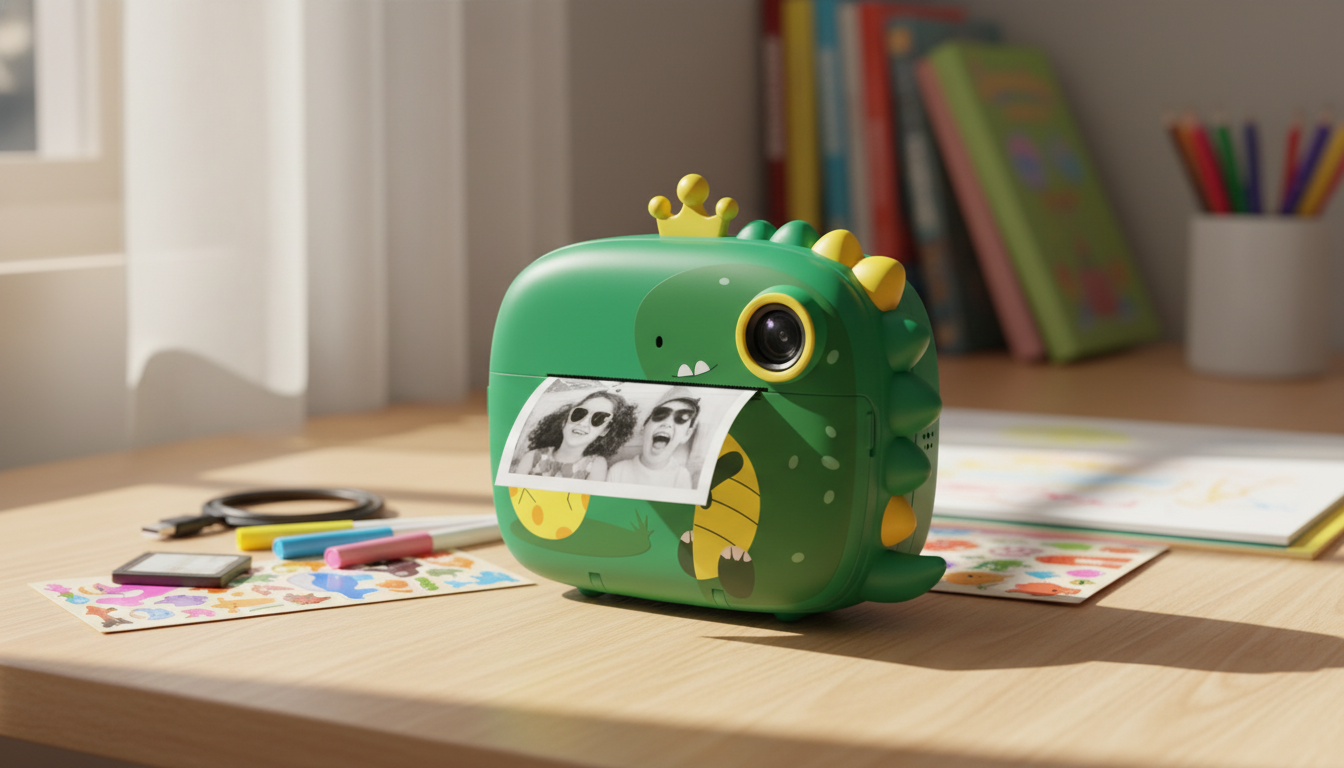
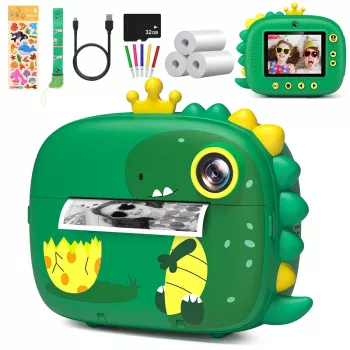
Kids Instant Camera 20MP, HD 1080P Print Camera with 32GB Card & Fun Features
A kids instant print camera blends everyday photo-taking with the excitement of holding a printed picture moments later. With 20MP photos, 1080P video, and a 32GB card included, it’s designed for quick setup, lots of captures, and kid-friendly creativity through built-in effects and playful features.
What makes a kids instant print camera different
Unlike a phone or tablet camera, a kids instant print camera turns a quick snapshot into a finished “thing” a child can hold, share, and use. That physical result changes how kids approach photography—less scrolling, more doing.
- Instant printing encourages kids to finish a “photo project” right away—snap, print, share, and save.
- Kid-focused controls and menus are typically simpler than a phone camera, helping children practice framing and timing.
- Printed photos can become crafts, journals, room décor, or keepsakes for family and friends.
Photo and video quality for everyday adventures
For family life, school events, and weekend outings, the goal is usually “clear and fun,” not studio perfection. A 20MP sensor gives kids enough detail for casual memories, while 1080P video keeps recording straightforward.
- 20MP photos are suitable for kid-made albums, scrapbooks, and display boards, with enough detail for casual memories.
- 1080P HD video supports short clips of playtime, school events, and family outings without complicated settings.
- Best results come from steady hands: encourage kids to brace elbows or use a stable surface for clearer shots.
If your child tends to “photo-burst” while walking or running, suggest a simple pause routine: stop, plant feet, hold the camera with two hands, then press the shutter. It’s an easy habit that noticeably improves sharpness.
Printing: what to expect and how to make it fun
Instant printing is where the magic happens. Kids can take a photo and immediately turn it into something they can trade with a friend, tape into a notebook, or stick on a “memory wall” at home.
- Instant prints create a physical photo right after the shot—great for reward charts, birthday parties, and travel journals.
- Keep spare paper handy for events; kids tend to print more when friends are involved.
- For longer-lasting keepsakes, store prints in a small album or glue them into a notebook to protect edges and reduce fading.
To stretch paper during busy days, try a “print the finalists” rule: snap as many photos as they want, then choose only the top 3–5 to print. It keeps the novelty strong while still giving kids a tangible result.
Storage and files: using the included 32GB card
A 32GB card is a big win for kids—plenty of space means less frustration and fewer interruptions. It also helps parents avoid the constant “memory full” cycle that can end a fun activity early.
- A 32GB card helps kids take lots of photos and videos without constant deleting.
- Set a simple routine: move files to a computer or cloud folder periodically, then clear space for the next outing.
- Create labeled folders by month or event to make it easier for kids to find and revisit their favorite moments.
Quick setup checklist
| Step | What to do | Why it helps |
|---|---|---|
| Charge | Fully charge before first use | Prevents mid-play shutdowns and supports longer printing sessions |
| Insert card | Confirm the 32GB card is seated and recognized | Ensures photos and videos save correctly |
| Set basics | Pick language, date/time (if available) | Keeps files organized and easier to share |
| Test print | Take one photo and print it | Confirms paper loading and print function works |
Creative features kids actually use
The most-used features are usually the ones that spark a story: frames, filters, and silly effects that make photos feel like a mini project. When kids can “direct” a scene, the camera becomes more than a gadget—it becomes a creative tool.
- Frames, filters, and playful effects encourage storytelling—kids can create themed “mini comics” or photo missions.
- Self-timer options (if available) help with family shots and group pictures without an adult holding the camera.
- Simple challenges keep interest high: “3 textures,” “5 funny faces,” or “a color scavenger hunt,” then print the favorites.
Everyday durability and kid-friendly handling
For families trying to reduce screen distractions, pairing a dedicated camera with basic media boundaries can help. Two helpful resources for setting age-appropriate expectations are HealthyChildren.org (American Academy of Pediatrics) guidance on media and children and Common Sense Media’s parent guides.
Great moments to gift or bring it along
Extras to pair with kids’ creativity
- Wooden Multiplication Board for Kids — a tactile learning tool that pairs nicely with “photo your work” progress snapshots.
- Ultra HD 4K WiFi Body Camera with Night Vision & Motion Detection — a practical option for older users who want hands-free recording.
- Ergonomic Mesh Office Chair with Lumbar Support, Adjustable Headrest & 2D Arms — helpful for a comfortable parent “upload and organize” station during file backups and craft time.
FAQ
Does the camera print in color or black and white?
Many kids instant print cameras produce black-and-white (monochrome) prints, even when the on-screen photo is in color. Digital photos are typically saved to the memory card and can often be viewed or transferred in color depending on the model.
How many photos and videos can a 32GB card hold?
It varies by file size and settings, but a 32GB card commonly holds thousands of 20MP photos and several hours of 1080P video. Longer clips and higher bitrates reduce the total, so shorter videos usually go much farther for kids’ day-to-day recording.
Is an instant print camera a good alternative to a smartphone for kids?
It can be a strong option for families who want fewer distractions, simpler controls, and more hands-on creativity. It isn’t a communication device, so kids still need adult help for sharing, charging, and occasional file backups.







Leave a comment