Long-Session Comfort: Chair Lumbar Support + Armrests
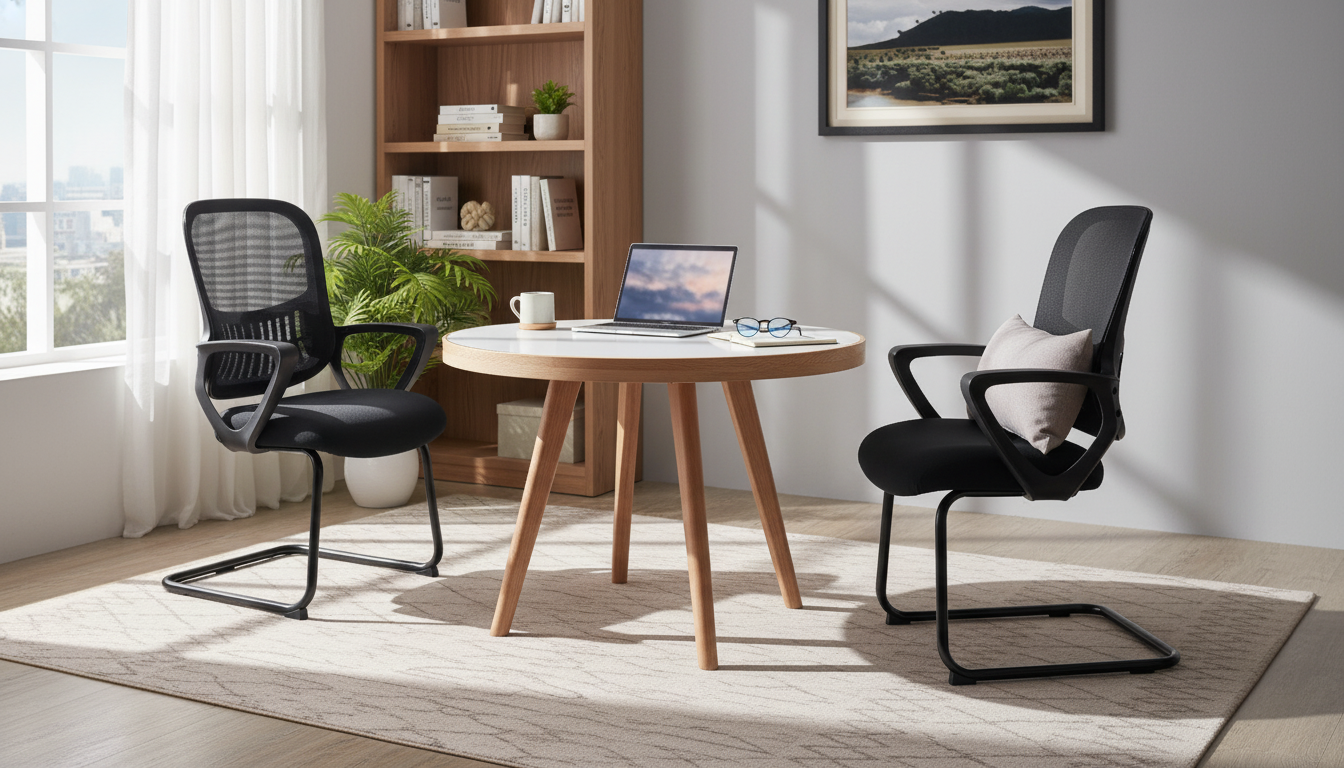
Ergonomic Office Chair Comfort for Long Work Sessions
A well-designed office chair supports the spine, reduces pressure on hips and thighs, and helps keep shoulders relaxed during long hours at a desk. Lumbar support and armrests work together to improve posture: the lower back stays gently supported while the arms rest without lifting the shoulders. The result is steadier comfort for focused work, gaming, or study—especially when paired with a desk setup that fits the body.
Why lumbar support and armrests matter
Lumbar support isn’t just a “nice extra”—it’s a practical way to help your lower back maintain its natural inward curve. When that curve collapses, many people drift into a rounded, slouched posture that can feel tiring surprisingly fast. A supportive backrest can reduce how often you fidget and reset your position, helping you stay comfortable during longer sessions.
Armrests play a similar role for the upper body. When your forearms have a place to rest, your shoulders don’t need to “hold them up” while you type or use a mouse. That can mean less shoulder hiking and less neck tension by the end of the day.
Used together, lumbar support and armrests encourage a neutral posture: ears over shoulders, shoulders over hips, and feet supported on the floor (or a footrest). This alignment is frequently referenced in workstation guidance such as the OSHA Computer Workstations eTool and ergonomics resources from NIOSH.
Key comfort features to look for in an everyday office chair
Comfort comes from how well a chair fits and supports your body over time—not just from thick padding. If you’re shopping for a daily-use chair, prioritize adjustability and stable contact points.
- Seat height: Your feet should rest flat while knees stay near hip level. This helps reduce pressure behind the knees and supports healthy circulation.
- Backrest shape: Look for a backrest that supports the mid-to-lower back. Even a mild lumbar contour can help reduce slumping.
- Armrest placement: Armrests should allow elbows to rest close to a right angle without forcing the shoulders up. Ideally, they won’t stop the chair from sliding in under the desk.
- Stable base and smooth mobility: A steady chair reduces twisting and reaching. If the chair rolls, it should roll smoothly so you aren’t bracing with your legs or torso.
- Materials that stay comfortable: Breathable surfaces help with heat buildup, and cushioning should remain supportive rather than “bottoming out.” If your workspace runs warm, pairing breathable clothing with a supportive chair can make long sessions feel easier.
If you’re setting up a practical, budget-friendly workspace, the Ergonomic Office Chair with Lumbar Support and Armrests is a straightforward option aimed at everyday comfort for computer work. For warmer seasons, a lightweight clothing approach can also help; consider the Summer-Friendly Fabrics | Practical eBook Guide to Breathable Fabrics for Summer to reduce that sticky, overheated feeling that can make sitting feel more fatiguing.
Fit guide: setting up the chair for your body
- Seat height: Adjust until thighs are roughly parallel to the floor and feet are supported. If your desk forces you to sit higher, use a footrest so your legs don’t dangle.
- Back contact: Sit fully back so the lower back meets the lumbar area. Perching on the front edge makes your back muscles work harder and often leads to slouching.
- Armrest use: Rest forearms lightly. If armrests push your shoulders up, lower them (if possible) or rely on them less and bring the keyboard and mouse closer to your body.
- Screen positioning: Keep the top of the screen around eye level and centered. This reduces neck rotation and forward head posture; Cornell’s ergonomics resources are a helpful reference for posture basics (Cornell University Ergonomics).
- Micro-break routine: Stand, stretch, and walk briefly every 30–60 minutes. A chair supports you, but movement keeps you feeling better across the day.
Quick checklist: posture and support troubleshooting
| Issue | Likely cause | Adjustment to try |
|---|---|---|
| Lower-back fatigue | Sitting away from backrest or slouching | Sit fully back; keep lumbar area in contact; consider a small cushion if needed |
| Shoulder tension | Armrests too high or desk too far | Lower armrests; move chair closer; keep elbows near the body |
| Thigh pressure | Seat height too high or seat edge pressing | Lower seat; ensure a small gap behind knees; use a footrest if necessary |
| Wrist strain | Keyboard/mouse too high or far | Adjust chair/desk height; bring input devices closer; keep wrists straight |
Ergonomic Office Chair with Lumbar Support and Armrests: what it’s suited for
If your current seat leaves you sliding forward, rounding your back, or shrugging your shoulders during typing, switching to a more supportive option like the Ergonomic Office Chair with Lumbar Support and Armrests can help create a more stable baseline posture for long sessions.
Care tips to keep support and comfort consistent
FAQ
Should armrests touch the desk while typing?
Generally no—armrests should support the forearms lightly without forcing the shoulders up or preventing the chair from getting close to the desk. If armrests hit the desk, lower them (if adjustable) or reposition so elbows stay near 90° with relaxed shoulders.
Is built-in lumbar support enough if lower back pain persists?
It may help, but persistent pain can also come from the overall workstation setup, long stretches without breaks, or a mismatch in chair fit. Recheck seat height, back contact, and screen distance, and add regular movement breaks; for ongoing or severe pain, consult a healthcare professional.
How long should it take to feel comfortable after adjusting a chair?
Many setups feel noticeably better within minutes, but your body may need a few days to adapt to improved posture. Make small changes one at a time and reassess after a normal work session.












Leave a comment