64GB Voice Recorder: Noise Reduction & 24-Hour Capture
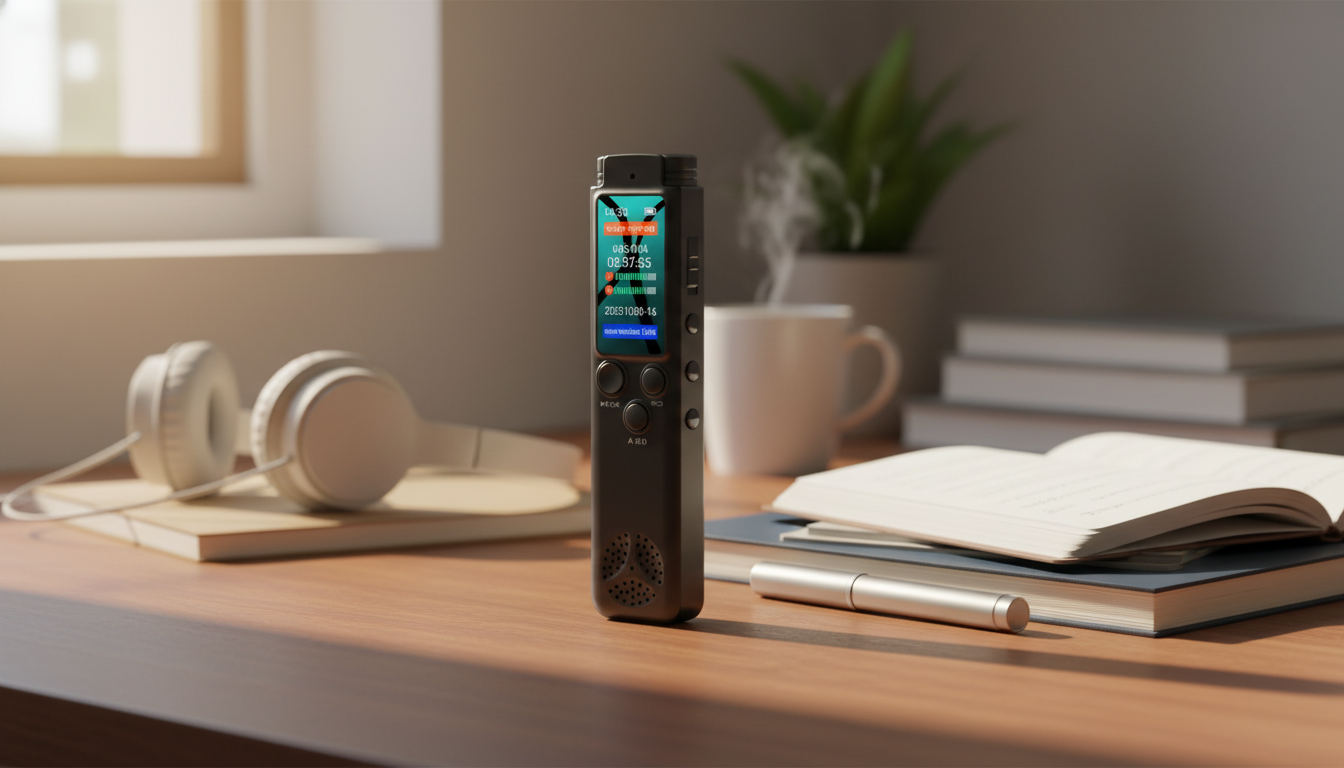
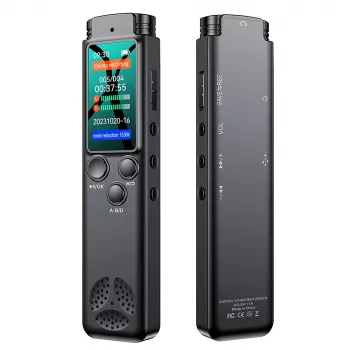
64GB Digital Voice Recorder with Noise Reduction, MP3 Player, 24hr Continuous Recording
A compact voice recorder is most useful when it’s simple to start, easy to understand later, and flexible enough to handle classes, meetings, interviews, and personal notes. This model pairs generous on-device storage with noise reduction, long continuous recording time, and built-in MP3 playback—designed for clear capture and convenient review without needing extra apps or subscriptions.
What This Recorder Is Built For
If recording is part of how you learn, work, or organize life, the goal is dependable capture without fuss. This recorder is designed for everyday voice-forward situations where clarity and long runtime matter.
- Capturing spoken audio for lectures, meetings, interviews, and study sessions
- Creating quick voice memos and reminders that can be replayed on-device
- Reducing background noise to improve intelligibility in everyday environments
- Storing many hours of recordings locally on 64GB, avoiding reliance on cloud storage
- Running long sessions with up to 24 hours of continuous recording for day-long events
Key Features at a Glance
- 64GB internal storage to keep a large library of voice notes and longer sessions
- Noise reduction to help voices stand out from ambient sounds like HVAC, keyboard taps, or hallway noise
- MP3 player function for listening to recordings or music directly from the device
- Up to 24-hour continuous recording for conferences, shift logs, or multi-lecture days
- Portable design intended to be carried in a pocket, bag, or desk drawer
Quick Spec Snapshot
| Feature | What it means in daily use |
|---|---|
| 64GB storage | Keeps many recordings without frequent transfers or deletions |
| Noise reduction | Helps speech remain clearer in typical indoor settings |
| MP3 playback | Review files on-device; useful for study or playback on the go |
| 24hr continuous recording | Suitable for extended sessions without constant restarting |
Recording Quality and Noise Reduction: How to Get Clearer Audio
Noise reduction is most effective when it has a strong, clean voice signal to work with. Small placement choices usually make a bigger difference than toggling settings mid-session.
- Place the recorder closer to the main speaker when possible; distance matters more than any setting.
- Keep the microphone unobstructed (avoid fabric rubbing inside a pocket or bag).
- In meetings, set it on a stable surface to reduce handling noise and vibrations.
- In classrooms, aim toward the instructor and avoid placing it near laptop fans or projector vents.
- If the environment is unpredictable, record a 10–15 second test clip and replay it on the MP3 function before the session begins.
For interviews, consider the “triangle” approach: place the recorder centered between you and the other person on a table. If you’re walking while capturing notes, pause briefly to speak clearly, then continue—movement and wind tend to overwhelm speech on any small mic.
Storage, Battery, and Long Sessions
64GB local storage is a practical advantage when you want to keep recordings organized by class, client, or project—without depending on a phone’s remaining space or a cloud upload to confirm the file is safe.
- 64GB storage supports keeping separate folders or naming conventions for each course, project, or client.
- For long days, charge before extended sessions to maximize the chance of completing a full 24-hour run.
- Transfer older files periodically to a computer or external drive to keep the device organized and easier to navigate.
- For important recordings, duplicate files after transfer (local backup + external backup) to reduce loss risk.
- If recording all-day events, break content into logical segments when practical to make later searching easier.
File format and audio quality settings affect storage consumption. If long retention matters most (for example, a full semester of lectures), prioritize a consistent naming system and weekly transfers. If clarity is critical (such as client interviews), use higher quality settings and archive the files sooner.
For background on common audio formats and how they’re preserved over time, the Library of Congress provides a helpful overview: Library of Congress — Digital Formats (Audio).
MP3 Playback and File Review Workflow
Built-in playback changes how confidently you can record: you can verify the audio immediately, then walk away knowing the session is actually captured and understandable.
Best-Fit Scenarios
For hands-free documentation in motion (such as walkthroughs, security checks, or jobsite notes), a wearable camera can complement a voice recorder by pairing video context with audio narration. Consider the Ultra HD 4K WiFi Body Camera with Night Vision & Motion Detection for scenarios where visuals matter as much as the spoken details.
Care, Handling, and Privacy Basics
Recording laws vary by location and context. A practical starting point is understanding one-party vs. all-party consent concepts; the Reporters Committee for Freedom of the Press maintains a frequently referenced guide: Reporters Committee for Freedom of the Press — Recording Phone Calls and Conversations.
Shop In-Stock Options
- 64GB Digital Voice Recorder with Noise Reduction, MP3 Player, 24hr Continuous Recording
- Ultra HD 4K WiFi Body Camera with Night Vision & Motion Detection
FAQ
How many recordings can 64GB hold?
It depends on the recording format and quality setting: higher quality uses more space, while speech-focused settings can fit far more hours. A practical approach is to keep a rolling archive by transferring files weekly and backing up important sessions to an external drive.
Does noise reduction remove all background sounds?
No—noise reduction helps speech stand out, but it can’t fully eliminate loud, nearby, or sudden sounds. For best results, place the recorder closer to the speaker, keep the mic unobstructed, and avoid handling or fabric-rub noise.
Is it legal to record meetings or conversations?
Rules vary by state and situation, including one-party vs. all-party consent, plus workplace or school policies. When unsure, get clear permission before recording and follow any organizational guidelines.








Leave a comment